
Description
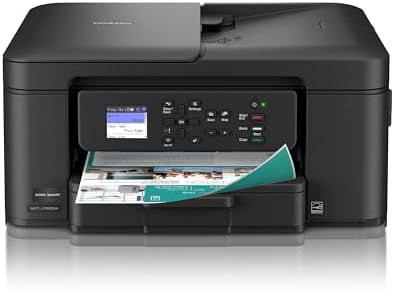
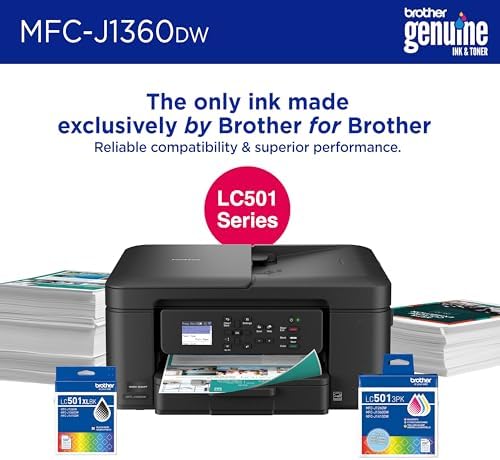
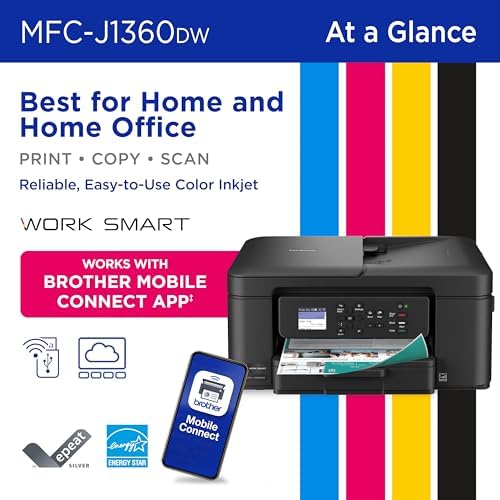
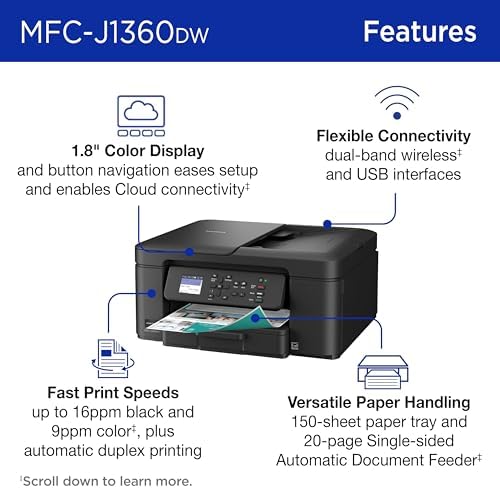
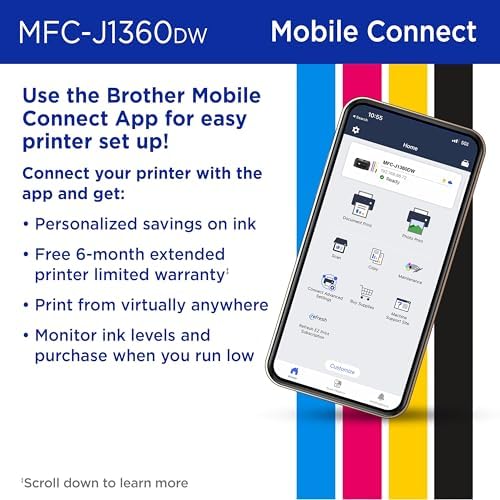
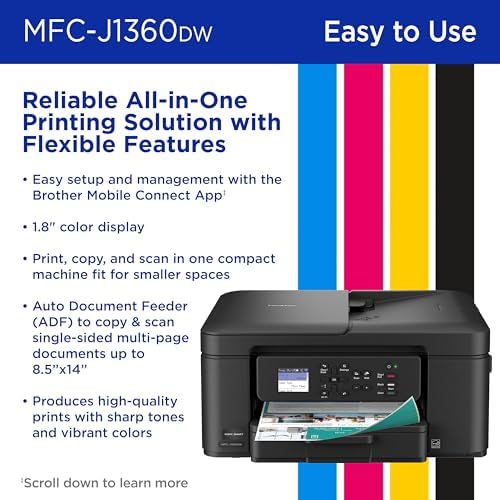
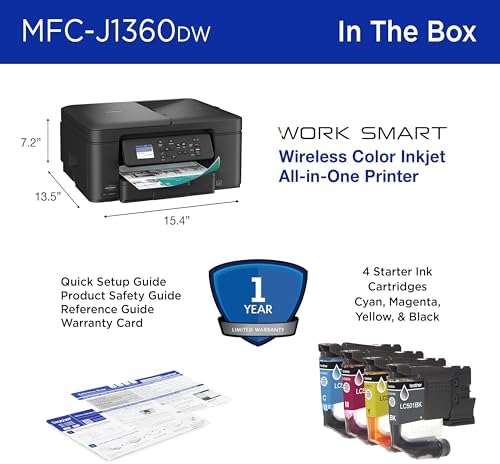
Looking for reliable printing with robust efficiency-boosting features? The Brother Work Smart 1360 Wireless Color Inkjet All-in-One Printer delivers. With versatile tools like automatic duplex (2-sided) printing, a 20-page single-sided automatic document feeder(3) and flatbed scanner capabilities, wireless(7), Wi-Fi Direct, AirPrint®, and Mopria® compatibility, plus Cloud connectivity(2) options available on the 1.8” color display, this multifunction printer makes getting your work done simple. Perfect for printing anything you need, from to-do lists to business reports, this color inkjet printer outputs vibrant colors and bold, rich blacks at fast print speeds, and Page Gauge(6) monitors your ink usage so you know when you’re running low. When paired with the Brother Mobile Connect app, setup is quick and easy – plus, you can print from virtually anywhere on your mobile device(5). Print Confidently with Brother Genuine LC501 Ink in your Work Smart 1360 for reliable, consistent prints – with convenient multipack and high yield cartridge options for added convenience. Try one of our smart delivery systems with Refresh and have your ink delivered automatically, before you run out. Includes a 2-month FREE Refresh EZ Print Subscription Trial(1) and built-in savings of up to 50%(8).
![[Fast Charging PD QC3.0] 2PD 4USB Car Charger With Fast Charging PD QC3.0, 30 Minutes Full 60% - Universal, Stable And Fast Charging For Multiple Devices, Car Phone Charger, Car Charging Station | Modern Charging Station | Durable Charging Station, Without Battery](https://bawhite.shop/wp-content/uploads/2026/05/064df83d-9614-4326-9c86-fe3fc6405056-1-300x300.jpg)

HardWired –
Great Price, Better Printer
This printer checks all the boxes and doesn’t break the bank. Wireless operation has been flawless. Printer output has been crisp and clear in color or black and white. Scanner is more than adequate for the designed purposes. Ink cartridges are reasonably priced for Brother branded and downright cheap for knockoffs. The document feeder option works great. This printer has worked so well I retired my desktop PC and do all necessary work on either an android smart phone or an Apple iPad Pro. If you use wireless print services now, check this model’s features if you’re looking to replace or upgrade your home office experience. If you’re stuck in the stone age of a wired printer(s), you can comfortably unleash yourself with this Brother 1360 Wireless Inkjet. It’s not laser fast, but it’s output and ease of use are essentially as good at a small fraction of the cost.I highly recommend this printer to my friends and family
12 people found this helpful
Samier RNSamier RN –
Reliable, Easy to Use, and Great Value All-in-One Printer
The Brother Work Smart 1360 is an amazing printer and has been a great addition to my home setup. From start to finish, the setup process was quick and painless. Wireless connection was straightforward, and within minutes I was printing with no frustration or confusing steps. The menu and 1.8” color display are simple and intuitive, making everyday use easy even if you’re not very tech-savvy.Print quality is solid for both color and black-and-white documents, and the automatic duplex printing is a big plus—it saves paper and works smoothly without any hiccups. Scanning and copying are just as easy, making this a true all-in-one that actually feels convenient to use.One of the biggest advantages is ink cost. Replacement ink is very reasonable when purchased online, and there are plenty of compatible non-OEM options available that actually work well. The printer clearly notifies you if non-Brother ink is installed, but it continues to function perfectly once you confirm, which helps keep long-term costs down.Overall, this printer is reliable, user-friendly, and affordable to maintain. If you want a no-nonsense wireless color inkjet that’s easy to set up, easy to use, and doesn’t lock you into expensive ink, this is an excellent choice.
105 people found this helpful
Starry O. –
Simple Printer- works well
Nice at home color printer. Color prints come out clear and vibrant as expected. I’ve been using it for a few months now. Thankfully it wasn’t too crazy to setup, though you do need to download their app. I knew to expect this and was ready. Pretty easy setup and I actually like the convenience of being able to use it with my mobile- specially when scanning items to be emailed or saved, even photos. It prints double sided as well as one sided. So far it’s been very efficient and no issues.
5 people found this helpful
RICHARD B –
Set up nightmare
I replaced my old Brother printer with this one. Setup was a nightmare. This printer only works with 2.4 ghz which I discovered after fruitless searches. I called my internet provider and was told how to change ghz to 2.40. I did that but my computer still would not recognize printer until I finally connected with a cable. Paper holder was very difficult to open. If the printer now works as well as my old one, then I’d be satisfied. Remains to be seen.
5 people found this helpful
Ann Steyer –
Get more than the price implies ….
Overall I have to say it’s better than what I expected from an inkjet printer for this low price.Print quality is acceptable for informal documents. There are no real bad points to mention when evaluated within the scope of what the printer is: low, low cost with pretty good results.I’ll mention 2 points that may be of interest to some potential buyers: 1) it doesn’t have a LAN connection – WiFi or USB direct only (do those cable even still exist???) 2) black and white printing and scanning are reasonably quick. High resolution scan and printing are slow, I mean S L O W.But … look at the price. I can’t compare it to my (way more expensive) laser printers but for what it represents, at that price, I can only highly recommend it.
8 people found this helpful
Shannon N Gartner –
Perfect
Functions great. Super easy to set up and use. Compatible with my hp and phone. Great price! Fit perfectly on my desk and print quality is great.
One person found this helpful
BrianBrian –
Excellent and Surprising Printer for the money.
I have a Laserjet workhorse for all black and white printing and scanning but I need to print a few (Maybe 10) color prints a month. My old 10 year old Brother could not print colors correctly and when I saw this on the Prime Day sale for $90 I read the reviews and jumped at it. It was the best $90 I’ve spent in a long time.I’ve only had it 2 days so this review is about installation and initial impressions. I use Windows 11. I unpacked it; powered it on; installed the cartridges and it was in setup mode. Brother has a mobile app and a browser URL for setup. I chose to do it on my desktop with Chrome. It opened right up and was very intuitively easy to walk through. I was going to use wireless and the setup walked me through that and there were no issues with the wireless install. (i read reviews where it is a struggle .. seems to me maybe poor signal or operator error). It was a seamless experience and in no time it printed the test pages and calibration flawlessly. The setup then downloaded the software drivers and apps; installed it; upgraded the firmware and it was ready to go. Less than 15 minutes start to finish. I printed single and double sided from Windows in black and white and color and all prints were surprisingly clear. The black was crisp and dark. I then tested the scanner which actually scanned teh page very fast (much faster than Brother 2750 Laserjet) and the images were crisp and speckle free.I was very pleasantly surprised at the whole thing including how good this was for the price. I cannot yet comment on ink usage of course (I will update later) but it comes with starter cartridges. Starter means they are d esigned to help initial setup and install and they did not seem to compromise on ink. See the screenshot of the ink volume in the status monitor showing 200 pages which might be a stretch.All in all, I recommend this highly IF you don’t set your expectations too high and remember the value for money.
140 people found this helpful
JL –
Not that easy to set up
I’ve had Brother printers for years, and never had problems setting them up and installing the software. This one was a frustrating challenge.The problem turned out to be the “EasySetup” software that is found on Brother’s downloads site. It installed the printer, and the printer worked fine. But the Print&Scan app would not recognize the printer, so I could not use it.Finally, I decided to install the Full Driver and Software Package, which is also offered. After some restarts and firmware updates, it worked. Now everything works fine, at least from my USB connection. (I’m not bothering with a WiFi connection for now.)My recommendation if you buy this: Install the Full Driver and Software Package, not the EasySetup software. And do any firmware updates if they are offered.Also, beware that this is a cheap printer with lots of plastic, and a small screen. I only plan to use it for occasional color printing and scanning, so it should hold up. If you’re a heavy-duty printer, you might consider something more robust.
14 people found this helpful